Virus Detection & Device Isolation
STATUS: RESOLVED / LAB
ANALYST: Erick Cisneros Ruballos
DATETIME: Nov 15, 2024
A technical demonstration of incident response procedures utilizing Microsoft Defender for Endpoint to halt lateral movement by completely isolating a compromised host off the network while pulling forensic telemetry.
Executive Summary
During a routine lab operation, a malicious payload was detected and executed on a Windows 10 virtual machine segment. Microsoft Defender for Endpoint successfully caught the Antivirus event, triggering standard containment protocols.
The device was rapidly isolated from the network to prevent lateral movement. A full forensic investigation package was pulled remotely, allowing for safe telemetry analysis. Once the artifact was remediated, the device was released back into the network, demonstrating a complete end-to-end incident response lifecycle.
Response Timeline
Query & Detection
Initiating the response playbook requires solidifying the scope of the virus alert. We executed an advanced hunting query to directly poll DeviceEvents specifically for internal Windows Defender AV alarms.

Enforce Isolation
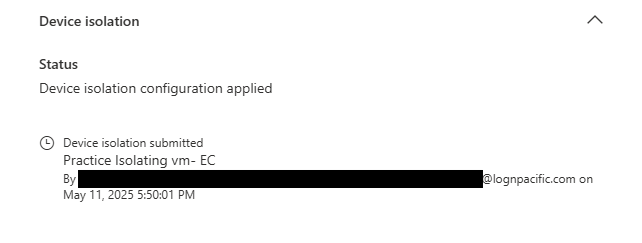
With malicious activity confirmed, immediate containment is critical. Isolation severs the host's ability to speak to the internet, domain controllers, and local subnets—restricting communications solely to the Microsoft Defender sensor heartbeat.
Forensic Package Acquisition
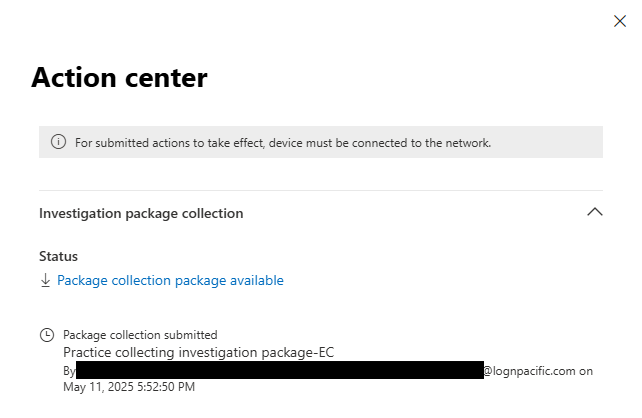
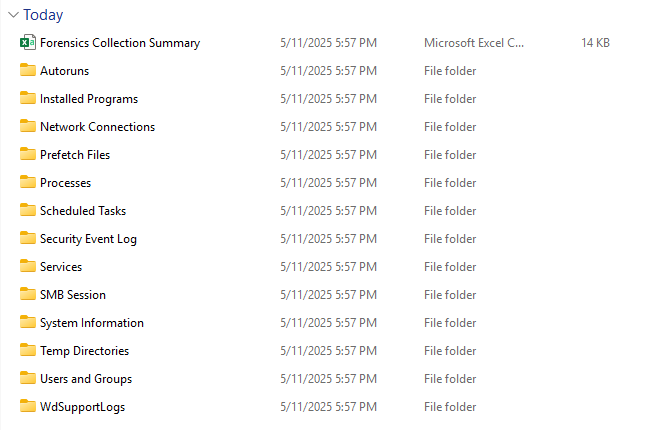
While the host is isolated, we utilize MDE's remote response capabilities to pull a full Investigation Package. This zip archive contains crucial volatile data including Autorun keys, Active Network Connections, Process trees, and Security Event Logs over the last 30 days.
Network Verification
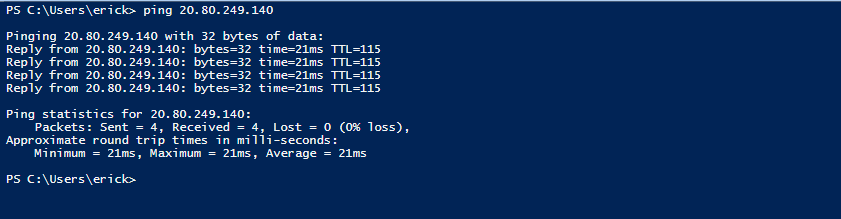
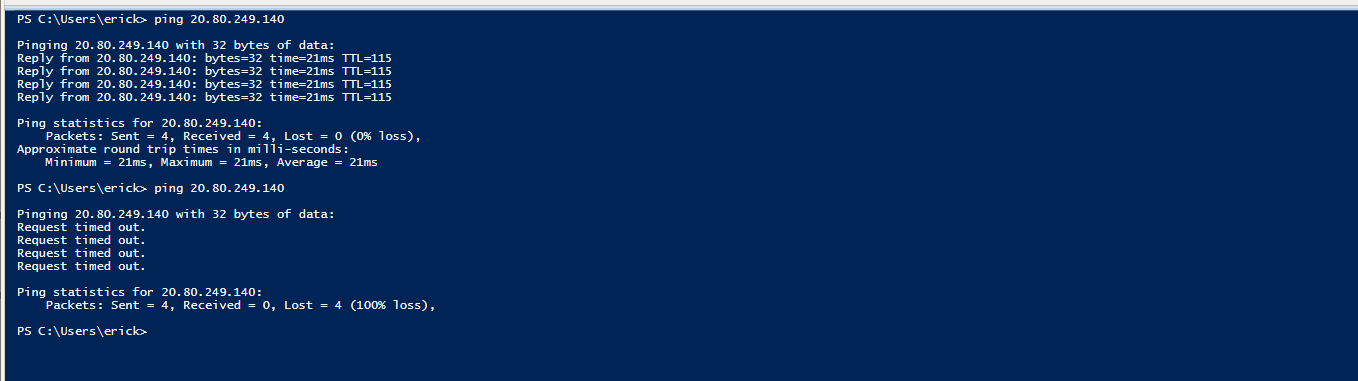
Before isolation, host traffic succeeded (8.8.8.8 responses). Post isolation, host traffic was natively dropped by the Windows filtering platform, proving network severance.
Remediation & Release
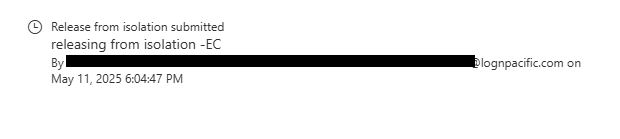
Following the extraction of evidence and remediation of the malicious artifacts, the machine was declared clean. A release command was executed, reconnecting the VM.
Indicators of Compromise (IOCs)
| Connection State | Isolated (WFP Dropped) |
| Sensor Heartbeat | Maintained (Port 443) |
| Forensic Archive | InvestigationPackage.zip |
| Trigger Event | AntivirusDetection |
KQL Threat Hunt Validation
DeviceEvents
| where ActionType == "AntivirusDetection"
| project Timestamp, DeviceId, DeviceName, FileName, FolderPath
| sort by Timestamp desc
Strategic Recommendations
- 1Ensure all lab endpoints have the Microsoft Defender for Endpoint sensor fully deployed.
- 2Implement Automated Investigation & Response (AIR) capability in MDE to drastically reduce time-to-containment for Antivirus events.
- 3Utilize Live Response shells iteratively to search memory and active processes before returning complex endpoints to the general network.